

이미지 색상 팔레트 추출기 (대표 색상 추출)
사진에서 가장 지배적인 색상 팔레트를 추출하여 HEX, RGB, CSS 코드로 즉시 복사하세요.
파일을 여기로 드래그하거나 클릭하여 선택하세요
브라우저 메모리에서 안전하게 처리됩니다.
개요
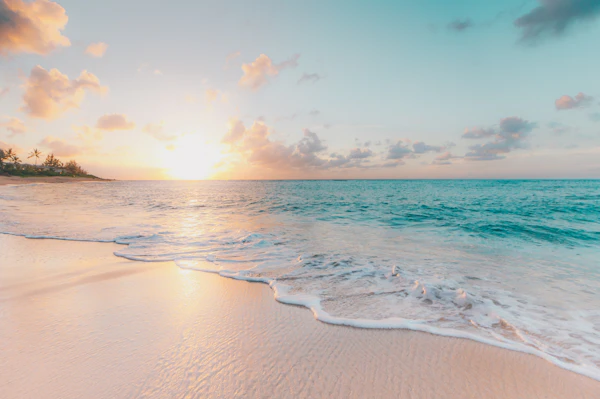
웹 디자인과 그래픽 작업을 위해 사진에서 감성적인 색상 팔레트를 추출합니다.
Image Palette Extractor: Extract Dominant Colors & HEX Codes from Photos
The Image Palette Extractor automatically identifies dominant hues, accent colors, and cohesive color harmonies from any photograph, artwork, or screenshot.
Utilizes color quantization and clustering to extract rich 6-to-10 color palettes reflecting the emotional aesthetic of the image.
Designed for UI/UX designers, frontend developers, and brand creators with 1-click HEX, RGB, and HSL clipboard copying.
How to Extract Color Palettes from Images
빠르고 직관적Upload Image
Select or drop any PNG, JPG, or WebP photo into the canvas.
Analyze Swatches
Inspect the automatically extracted dominant and accent color swatches.
Copy Color Codes
Click any swatch to copy its HEX, RGB, or HSL color value to your clipboard.
주요 기능 및 장점
서버 업로드 없이 사용자 기기의 메모리 내에서 안전하게 처리됩니다.
네트워크 지연 없이 즉시 결과를 도출합니다.
회원가입, 결제, 사용량 제한이 전혀 없습니다.
모바일, 태블릿, 데스크톱 어디서나 최적의 사용자 경험을 제공합니다.
W3C 표준 하드웨어 가속 기술을 적용하여 빠르고 신뢰성 높은 연산을 지원합니다.
- Use the extracted primary swatch for your call-to-action buttons and the secondary swatch for subtle surface tints.
자주 묻는 질문
2 자주 묻는 질문과 답변Which color code formats are provided?
The extractor provides instant 1-click copying for HEX, RGB, and HSL color values.
Can I extract palettes from brand logos and UI screenshots?
Yes! It works seamlessly on interface designs, illustrations, brand logos, and photography.